Today
Start with decisions, not an unread count.
The Today workspace brings reply obligations, follow-ups, cleanup signals, and review items into one focused queue built from your local cache.
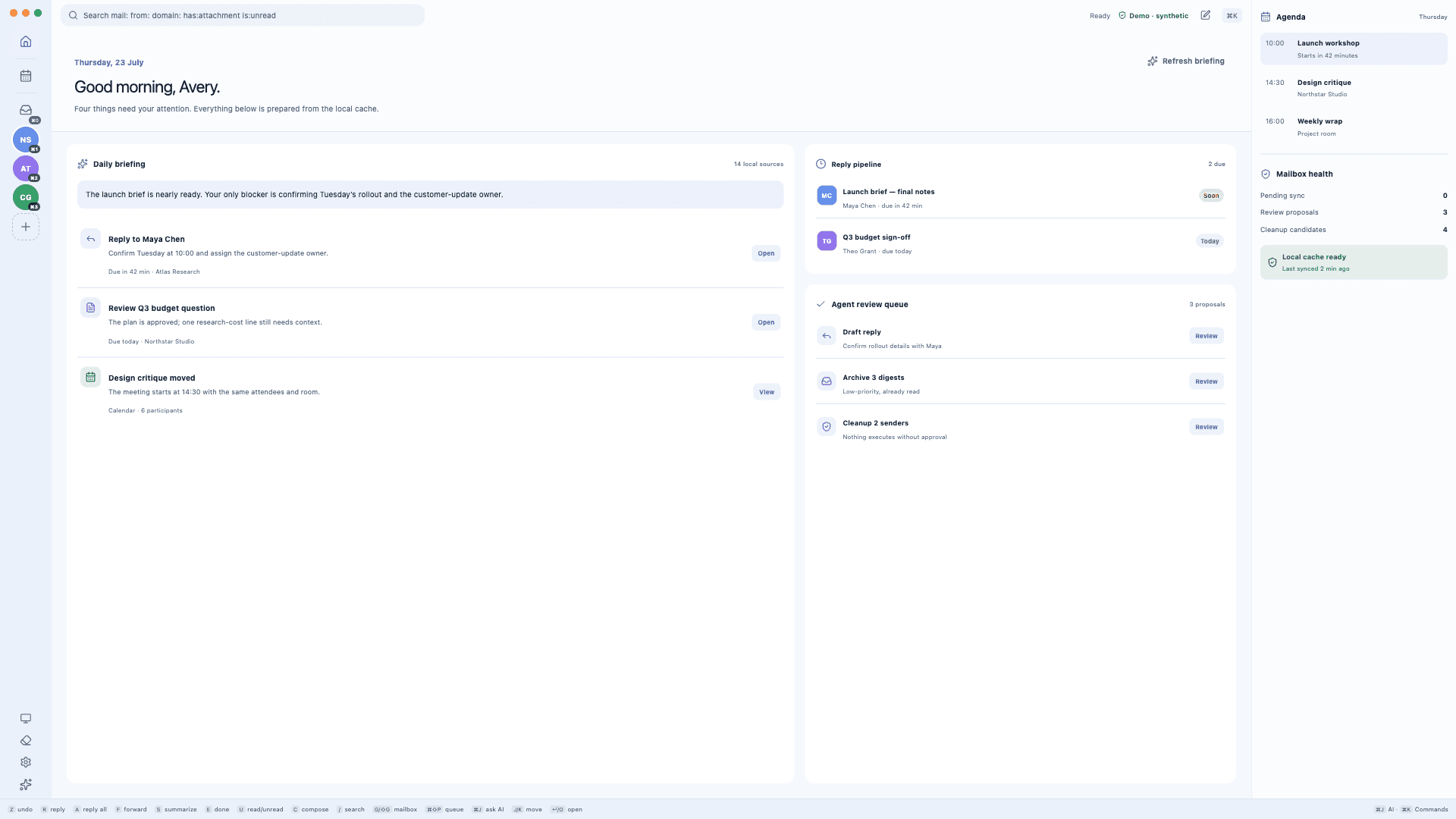
Dumka Mail connects directly to Google APIs so you can read, search, compose, send, and organize Gmail from a desktop app. Optional Calendar and Contacts integrations keep related context in the same local-first workspace.

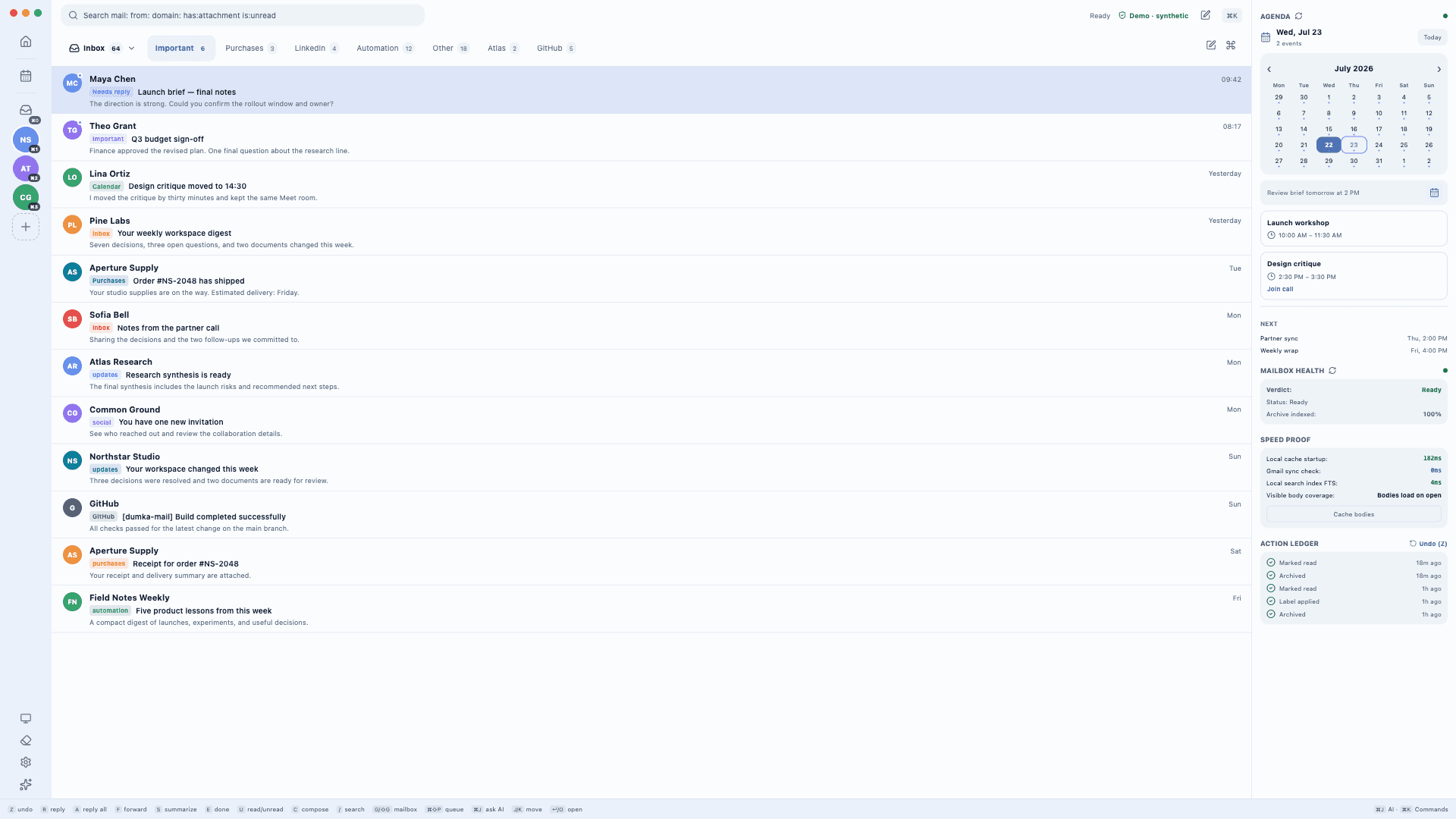
A calmer operating layer for email
The Today workspace brings reply obligations, follow-ups, cleanup signals, and review items into one focused queue built from your local cache.
Calendar stays in the same keyboard-first workspace as mail, with a day view, agenda context, and read-only availability search before you create or change an event.

Cleanup analysis is computed locally. Sender-level suggestions show their evidence and proposed result before an archive or unsubscribe action can be approved.
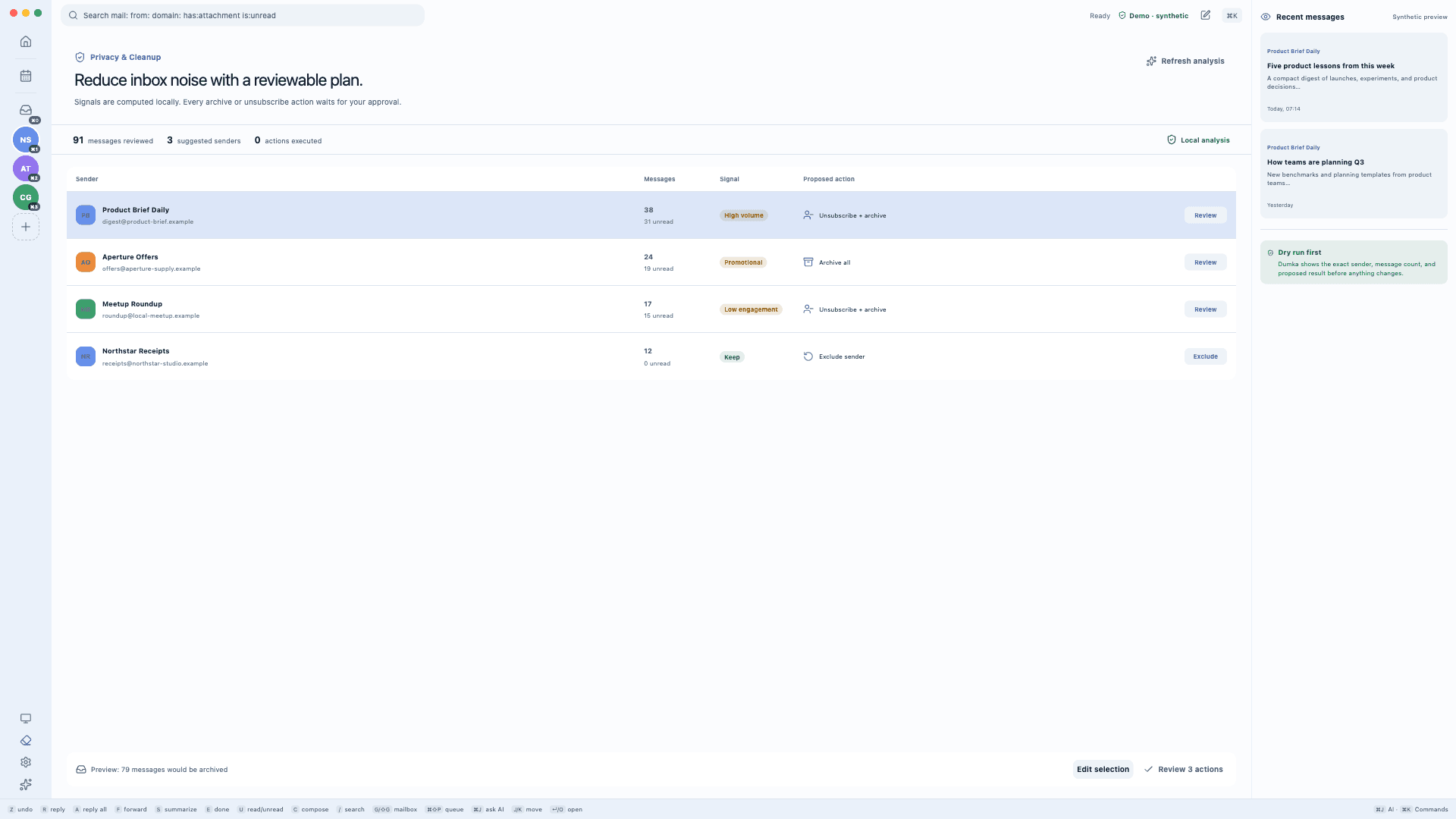
Automation with a visible brake pedal
Relevant messages and cached state explain why an item surfaced.
The intended action, scope, risk, and source remain visible.
Review queues, draft state, and shadow-mode rules preserve control.
Data flow, without hand-waving
 Your computerDumka Mail + local SQLite cache
Bounded context needed for the feature you requested.
No Dumka Mail server stores or processes your Gmail content.
Google permissions
Calendar and Contacts permissions are requested incrementally, only when you choose to enable those integrations.
gmail.modifyAccount setupRead, sync, and search mail, compose and send, manage drafts, labels, archive, trash, and read state.
userinfo.email + userinfo.profileAccount setupIdentify the connected account and display its name and avatar in the desktop app.
calendar.events + calendar.freebusy + calendar.calendarlist.readonlyOptionalShow calendar lists and agenda data, RSVP, create events, and calculate availability when Calendar is enabled.
contacts.readonlyOptionalSync contact names and addresses for compose and contact views when Contacts is enabled.
Dumka Mail's use of information received from Google APIs adheres to the Google API Services User Data Policy, including the Limited Use requirements.
Questions worth asking
No. Gmail data is synchronized into a local SQLite cache. Optional AI features send only the context required for the feature you explicitly use to the provider you configured.
OAuth refresh tokens use macOS Keychain on macOS or Electron safeStorage on supported Windows and Linux systems. Runtime credentials are not stored in this website or committed to the repository.
Yes. Disconnecting an account revokes its Google token, removes the local credential, and—when cache purge is enabled—deletes cached account data. See the step-by-step data deletion guide.
Open data deletion guide →No. Dumka Mail is an independent open-source project and is not affiliated with, endorsed by, or sponsored by Google LLC.

Dumka Mail is open source and in active early-alpha development.